Arkansas Trail Fees Paid at a Kiosk
A trailhead kiosk can look like the obvious place to pay, but Arkansas has several riding areas with different permits, fee systems, and access rules. Paying at one kiosk does not necessarily cover every nearby trail. This guide explains what to check before you leave home, how to use a self-service fee station, and how to avoid arriving at a trailhead without the right pass.
What an Arkansas trail kiosk fee covers
A kiosk payment is not a universal Arkansas trail pass
Arkansas does not use one statewide fee that automatically covers every off-highway vehicle riding area. Fees and permits depend on where you plan to ride. A pass for one national forest or trail system should not be assumed to work at another, and a private off-road park may have its own admission process altogether.
That distinction matters when a trip includes more than one destination. For instance, a rider planning a weekend around Ozark and the Ouachita Mountains might visit different trail systems with separate requirements. Even if both have a convenient place to pay, a receipt or permit from the first stop may not satisfy the rules at the next one. Check the requirements for each specific riding area before setting out. [Arkansas Riders Need Two Different Forest Passes]
A kiosk is simply one way a particular site may sell or issue a pass. It does not, by itself, tell you which trails are open, whether your machine fits the access rules, or whether a second permit is required. Read the posted information carefully, including any restrictions on vehicle type, trail use, and where to display or carry proof of payment.
Forest riding areas and private parks can handle fees differently
Public forest riding areas and private off-road parks are not interchangeable. A public trail system may require an OHV permit for riding on designated trails, while a private park may charge admission or require riders to complete its own check-in process. A fee paid at a private park does not automatically cover public forest trails nearby, and a forest permit should not be treated as admission to a private facility.
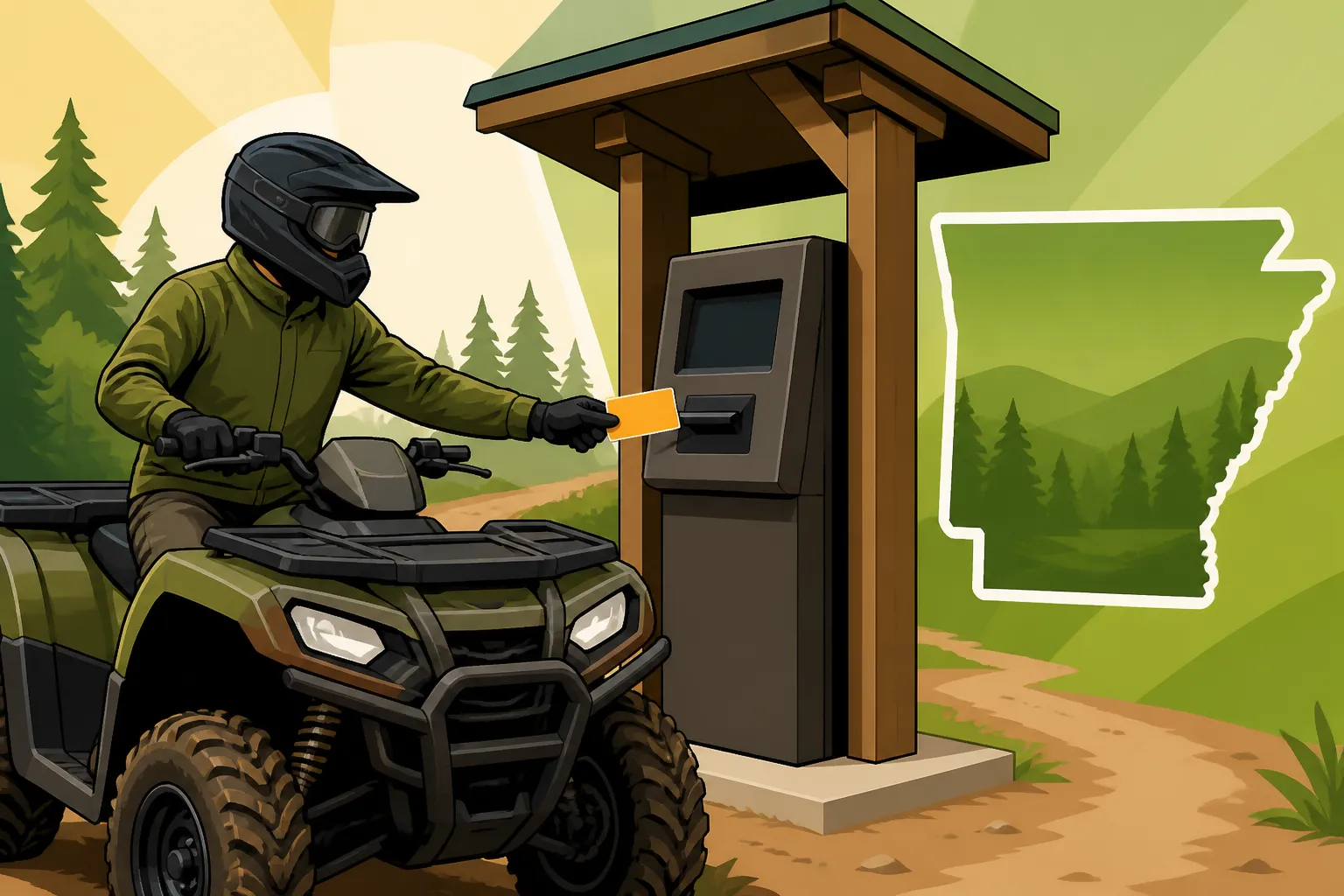
The process can also differ between public riding areas. Mill Creek OHV Trail System near Ozark is associated with a self-service fee station, while permits for other forest riding areas may be available through online channels. Before you travel, confirm the exact rules for your destination rather than assuming every trailhead has an attended booth, the same kiosk, or the same payment options. [Mill Creek OHV Permits in Arkansas]
A practical rule is to identify the land manager first, then look up that specific site’s instructions. If the information says to use a kiosk, note where it is located and whether the instructions describe a payment envelope, a machine, or another process. If the site directs riders to purchase a permit online, do not wait until you reach a trailhead with weak cell service to figure it out.
How to pay at a self-service fee station
Prepare before you reach the trailhead
Self-service stations are useful, but they can be less forgiving than an attended counter. You may arrive when the station is unattended, have limited phone reception, or find that the payment instructions differ from what you expected. Before leaving home, confirm whether your riding area actually offers kiosk payment and whether that option is available for the pass you need. [Arkansas Self-Service Fee Stations]
Bring the information you may need to complete the purchase, such as the vehicle details requested by the station and a way to keep your receipt or permit safe. Payment methods vary by location and can change, so do not count on a specific card, cash option, or mobile payment unless the site’s current instructions confirm it. If the kiosk uses a paper form or envelope, read each step before filling it out; a rushed entry can make it harder to show that you paid for the correct machine or riding period.
It also helps to save the relevant permit instructions on your phone before the drive. A trailhead can be a frustrating place to troubleshoot a website, particularly if reception drops as you enter a remote area. A screenshot of the instructions, confirmation details, or permit can make it easier to check what you purchased and what you need to carry.
Understand the difference between buying a pass and displaying it
A successful payment is only one part of the process. Some permits need to be displayed on the machine, while others may need to be carried as proof. Follow the specific instructions for your riding area rather than guessing based on how another trail system handles its permit. If you are unsure, keep the receipt or confirmation accessible until you can verify the display requirements.
For example, a rider who pays at a self-service station and immediately places the paperwork in a truck glove compartment may have a harder time demonstrating compliance while riding. On the other hand, attaching a pass somewhere that obscures a required number or damages the decal can create its own problem. Check the instructions before you leave the kiosk area, and take a moment to confirm that the permit is associated with the right machine.
At a shared trailhead, look for signs that explain where the pass belongs and what rangers or other officials may ask to see. The instructions for Mill Creek may differ from those at another site, so avoid treating a pass display method as universal. [Carrying Your Forest Permit at Mill Creek] and [What a Forest Ranger Checks on an Arkansas Trailhead] can help you think through what proof to keep handy.
| Before you pay | What to check | Why it matters |
|---|---|---|
| Confirm the destination | Identify the exact trail system and land manager | Nearby riding areas may have different permits |
| Check the fee method | Verify whether the site uses a kiosk, online purchase, or another process | Not every trailhead has the same payment setup |
| Review payment instructions | Confirm accepted methods through the site’s posted guidance | A remote kiosk may not accept the method you expected |
| Match the pass to the machine | Read what vehicle or permit information is requested | The pass may need to correspond to a particular machine |
| Keep proof accessible | Save or carry the confirmation as instructed | You may need to show that you paid |
| Check access conditions | Review closures, vehicle limits, and trail rules | A valid pass does not override a closure or restriction |
Choosing a kiosk, online purchase, or day permit
Compare the available options for your trip
The best payment method depends on the riding area and your plans. A kiosk can be convenient when the site offers one and you are already at the trailhead. An online permit can reduce uncertainty before a long drive, while a day permit may suit a one-time visit better than a longer-term option. The right choice is the one that matches the site’s rules and the length of your trip—not simply the method that sounds easiest.
| Option | Often useful when | What to confirm |
|---|---|---|
| Trailhead kiosk | The site specifically directs riders to pay at a local station | Location, operating instructions, payment methods, and proof requirements |
| Online purchase | The riding area offers an official online permit process | Whether the permit covers your destination and how to carry or display it |
| Day permit | You expect to ride for a short visit | Valid dates, vehicle coverage, and any limits on where it applies |
| Annual permit | You expect to return to the same covered area | Which system it applies to and whether it covers every machine in your group |
| Private park check-in | You are riding on privately operated property | Admission, waiver, vehicle, and park-specific rules |
A day pass and an annual pass can be different products, not merely different ways to pay. Check what each covers, including whether the permit applies to one machine or multiple machines and whether it is valid at the trail system you plan to visit. [Arkansas Annual Versus Day Permits] explains the distinction to consider before you choose.
If online purchase is available, buying before you leave can be helpful, especially when you are towing a trailer or arriving near the end of the day. Still, do not assume that an online confirmation removes every other requirement. Read whether you must print anything, display a decal, or carry the confirmation on your person. [Arkansas Permits Bought on Recreation.gov] and [Buying a Pass Before You Leave Home] are useful topics to review while planning.
Use maps for navigation, not as proof of access
A navigation app can help you understand where the trailhead sits in relation to a town, highway, or campground. For example, onX Offroad can help riders plan a route and get oriented before they enter an area with limited cell service. It is still important to check the land manager’s rules for fees, closures, and access; a line visible on a map is not proof that a trail is open or that your permit covers it.
Before the trip, compare your route with the official information for the riding area. A map can help you avoid an unexpected detour, while the site’s posted rules determine where you are allowed to ride and what pass is required. Keep an offline map available if your phone may lose signal, but do not rely on mapping information alone to settle questions about current closures or payment instructions.
onX Offroad can also be useful for marking a trailhead or planning a route from lodging to the staging area. That planning is most helpful when you pair it with a check of current trail conditions and the official permit instructions. [Arkansas Trail Conditions Before You Tow] is worth reviewing before hauling a machine into a remote area.
Avoiding common payment and access problems
Do not assume every kiosk takes the same payment
One of the easiest mistakes is arriving with only one payment method and discovering that the station’s instructions do not match your assumption. Because procedures can vary, verify the accepted methods before the trip and bring a practical backup when possible. Do not rely on a nearby store or fuel station being open when you reach a remote trailhead.
Another common frustration is paying for the wrong location. Trail systems can be close enough on a map to seem like one destination, but their permits may be separate. Check the permit name and the area it covers before completing the transaction. If you are riding with a group, make sure each person understands whether the purchase is per machine, per rider, or otherwise limited according to that site’s rules.
If the kiosk is out of order or the instructions are unclear, do not improvise by using a pass intended for another site. Look for posted contact information or official guidance, and document the problem if appropriate. Leaving without resolving the requirement can turn an avoidable payment issue into a stressful conversation later.
Check trail conditions and machine rules separately
A paid permit does not guarantee that every route is open. Weather, maintenance, seasonal restrictions, or other land-management decisions can affect access. Arkansas backroads and mountain trails can change quickly after heavy rain, and an open gate on a previous visit does not establish that a route remains open today.
Vehicle dimensions and trail rules matter, too. Some routes have width restrictions or other limits that may exclude a particular side-by-side. Confirm that your machine is allowed before towing it to the site; finding out at a gate is a particularly frustrating way to lose a riding day. A pass is not a waiver for a trail restriction.
onX Offroad can support route planning, but check the trail system’s official notices for closures and permit requirements. Use the map to help navigate, not to replace signs at the trailhead or instructions from the land manager. When details conflict, follow the official posted rules and ask the responsible office for clarification before riding.
Make a quick pre-ride checklist
Before you pull away from home, confirm the exact riding area, the permit it requires, and how that permit must be purchased. Save the confirmation or instructions, bring the payment method the site accepts, and make sure everyone in the group knows where proof of payment will be kept. If a kiosk is part of the plan, identify its location and read the steps before you arrive.
At the trailhead, pause long enough to check the posted notices. Confirm the permit matches the site and your machine, complete the payment process exactly as directed, and keep proof accessible. Then check for current closures, width limits, and any trail-specific restrictions before unloading.
That small amount of preparation can prevent a lot of avoidable stress: a dead phone, an unclear kiosk, a pass for the wrong forest, or a machine that cannot fit through a restricted gate. onX Offroad may help with navigation and trip planning, while the official trail information and signs remain the place to confirm fees and access rules.
Disclaimer
This article is for general informational purposes only and does not constitute professional advice. Laws, prices and regulations vary by location and change over time. Consult a qualified professional for guidance on your specific situation.