Radiator Screens for Ozark Leaf Litter
Ozark leaf litter can pack against an ATV or UTV radiator surprisingly quickly, especially on a slow, leafy trail where there’s little airflow to clear it away. A radiator screen helps catch debris before it reaches the fins, but the wrong mesh or a dirty screen can restrict cooling. Here’s how to choose, fit, and maintain one for Arkansas riding.
Why Ozark leaf litter can overheat an ATV or UTV
How leaves block airflow
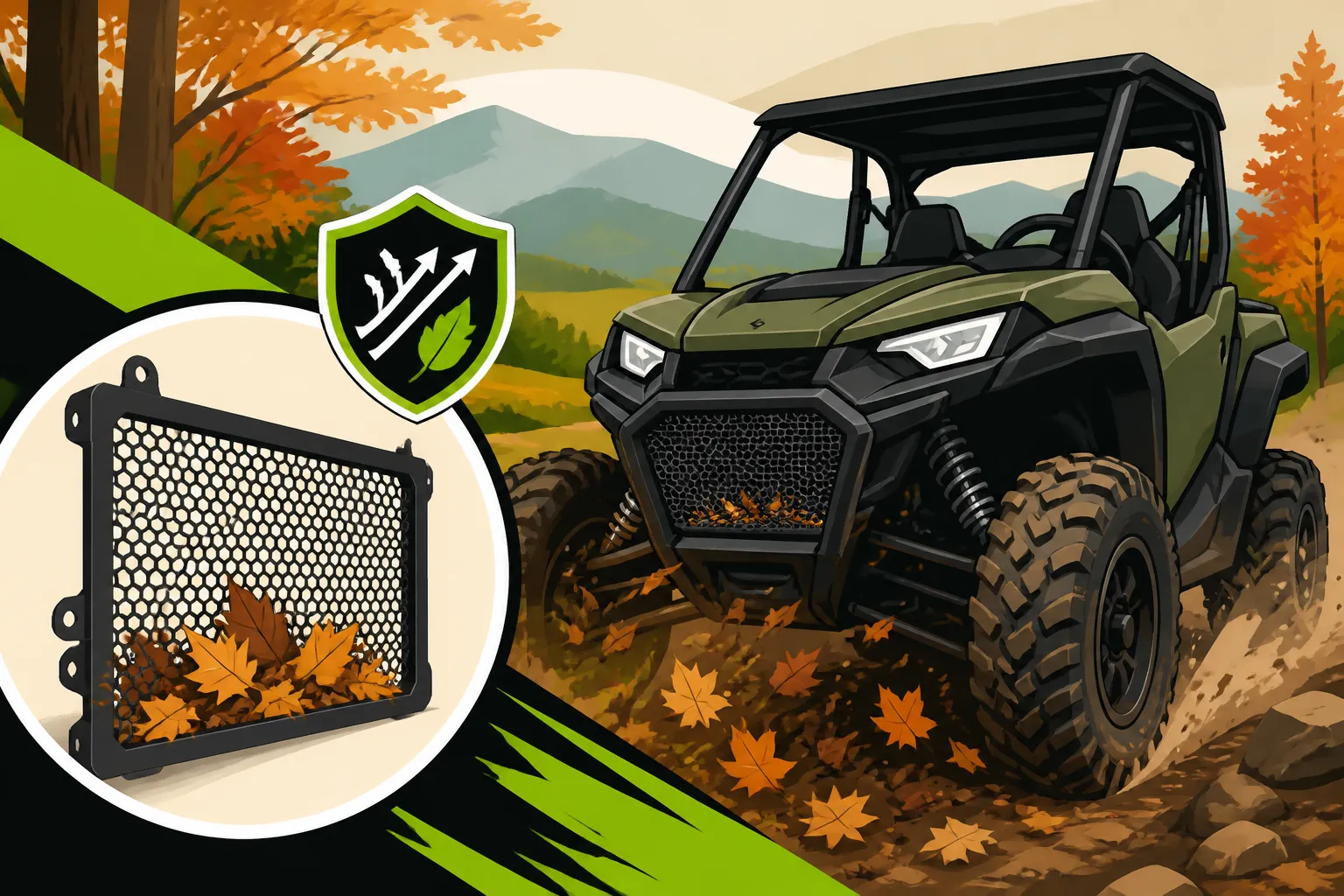
A radiator needs air moving through its fins to carry heat away from the coolant. On a winding Ozark trail, your machine may crawl over rocks, roots, or ruts at low speed, with less airflow than it gets on an open stretch. Dry leaves, seed fluff, small twigs, and trail dust can collect on the radiator face during that slow riding.
The debris does not have to form a solid mat to matter. Leaves pressed against the fins can reduce airflow, and a mixture of damp foliage and dust can cling more stubbornly than dry leaves alone. If the radiator is already carrying mud or other debris from an earlier ride, new litter can build on top of it.
A screen sits in front of the radiator to catch larger material before it reaches the delicate fins. It is a barrier, not a substitute for cleaning: the screen itself can become clogged and needs inspection. If you’re choosing an Ozark route, Arkansas Trails in the Ozarks offers useful context for the kind of terrain where debris and low-speed climbs may come with the ride.
Signs that debris may be affecting cooling
Watch for a temperature warning, a gauge rising higher than usual, or a cooling fan that seems to run more often than it normally does. Some machines may show a warning light rather than a temperature reading. Check your owner’s manual so you know what your particular machine uses to signal a cooling problem.
A warning does not prove that leaves are the cause. Low coolant, a damaged fan, a leak, or another mechanical issue can also affect temperature. Still, if the machine begins running hot after a leafy section, stop in a safe place, shut it down, and let it cool before inspecting the radiator area.
Do not remove a radiator cap while the engine is hot. Pressurized coolant can cause severe burns. If the warning returns after you clear visible debris and the machine has cooled, stop riding and follow the manual’s troubleshooting guidance rather than trying to push on to the trailhead.
Why speed and trail conditions matter
Slow riding gives the fan more responsibility for pulling air through the radiator. The machine can be working hard even if it is moving slowly, such as when climbing or navigating a rough section. That combination of engine load, low speed, and debris can make radiator cleanliness especially important.
Weather can change what sticks to your machine. Dry leaves may blow away more easily, while damp leaves and mud can cling to a screen. After a storm, branches and debris may also be present on the route itself. Check Arkansas Trail Conditions Before You Tow and Arkansas Trail Closures After a Storm when planning a trip, and don’t assume a familiar trail is unchanged after severe weather.
Choosing a radiator screen for Arkansas riding
Match the screen to your machine
Start with the make, model, and year of your ATV or UTV. Radiator placement, grille shape, mounting points, and available space can differ even between machines from the same manufacturer. A screen designed for a different model may leave gaps, interfere with a fan or other component, or sit too close to the radiator.
Look for a screen intended to fit your machine, or a universal option that can be mounted securely without blocking important airflow. Check the manufacturer’s fitment information and your owner’s manual before buying or modifying anything. If your radiator has been relocated or your front bodywork has been changed, standard fitment information may not apply.
Also check what sits behind the grille. Some machines have a factory guard or screen already in place. Adding another layer may catch more debris, but it can also make airflow and cleaning more difficult. A closer look at the existing setup helps avoid stacking barriers without a clear reason.
Balance debris protection with airflow
A very fine mesh may catch small particles, but it can collect debris quickly and reduce airflow if it is not cleaned often. A more open screen may allow smaller debris through while being easier to inspect and clear. There is no single mesh pattern that suits every machine, route, and maintenance routine.
| Screen feature | Potential benefit | What to check |
|---|---|---|
| Wider openings | Debris may be easier to clear from the surface | Small particles can pass through to the radiator |
| Finer mesh | May catch smaller material before it reaches the fins | Can clog faster and need more frequent cleaning |
| Secure, model-compatible mounts | Helps keep the screen in position on rough ground | Confirm it does not contact the radiator or fan |
| Removable design | Makes cleaning and inspection easier | Check that it can be removed and refitted correctly |
Think about how you actually ride. If your usual routes include long stretches of leafy, slow-moving trail, easy access for cleaning may matter as much as the mesh itself. If your rides are occasional and mostly on open ground, a complicated screen that is hard to remove may create more upkeep than you need.
Consider material and maintenance
Screens may be made from different materials, and the best choice depends on fit, durability, and how easily you can clean and inspect it. Whatever the material, look for edges that will not rub against the radiator or nearby hoses, wiring, or body panels. A loose screen can rattle, shift, or become damaged on rough terrain.
If you’re unsure whether a particular screen fits safely, ask a qualified ATV or UTV technician or the manufacturer. Avoid trimming, drilling, or bending components near the radiator unless the product instructions call for it and you understand what is behind the mounting area.
A screen works best when it becomes part of a simple pre-ride and post-ride routine. Riders exploring Arkansas ATV Trails: Where to Ride can add radiator checks to their normal preparation, alongside checking tires, lights, and other trail-ready equipment.
Installing and checking a radiator screen
Prepare the machine before installation
Park on a stable surface, switch off the engine, and let the machine cool. Follow the installation instructions for the screen and your vehicle. If panels need to come off, keep track of fasteners and avoid pulling on wiring or hoses to create extra room.
Before fitting the screen, inspect the radiator face and surrounding area. If the fins are already packed with debris, clean them carefully first; a screen installed over a dirty radiator does not solve the airflow problem. Fins are thin and easy to bend, so don’t scrape them with a screwdriver or other hard tool.
Once the screen is in place, check that it is secure and does not touch the radiator. Make sure it leaves clearance for the fan and any other moving parts. Look over the installation again after a short, easy ride. Vibration can reveal a loose mount or a spot where the screen is rubbing.
Make sure the screen does not interfere with cooling
After installation, pay attention to how the machine behaves during ordinary riding. The temperature should remain within its normal range, and the fan should operate as described in your owner’s manual. If you notice a new temperature warning or unusual change, stop safely and inspect the installation after the vehicle cools.
A screen that is too restrictive or packed with debris can create a cooling problem instead of preventing one. Do not assume that a larger, denser, or extra-thick screen is automatically better. If the screen’s suitability is unclear, check the product instructions or ask a technician familiar with your machine.
For navigation and trip planning, onX Offroad can help you keep a route plan separate from the mechanical checks your machine needs. It can be useful to note where a ride turns rough or leafy so you remember to inspect the radiator more often on similar trips. A map cannot tell you whether the radiator is clear, though; that still requires a hands-on check.
Inspect the screen before and during a ride
Before setting out, check that the screen is firmly attached and free of old leaves, mud, or damage. On a long ride, look at it during a safe break, particularly after a section with dense foliage or slow, strenuous climbs. If you ride with a group, make radiator checks part of the break routine rather than waiting for a warning light.
Plan a turnaround or stopping point before you enter a remote section. onX Offroad can help you review your route and keep track of where you are, but conditions can change and a mapped route does not guarantee that a trail is open or passable. Pair your route planning with local trail information and a basic recovery plan.
Cleaning a clogged screen and preventing repeat problems
Clear debris without damaging the radiator
When the machine is safely parked and cool, remove loose leaves by hand or with a soft brush. If the screen is removable and the instructions allow it, take it off to clean both sides and inspect the radiator behind it. Clear debris gently rather than pushing it deeper into the fins.
For mud or fine dirt, follow the vehicle and screen manufacturer’s cleaning guidance. If using water, avoid forceful, close-range spraying that can bend radiator fins or drive material deeper into the core. Let the machine cool first, and take care around electrical components. After cleaning, check that the fan area is clear and the screen is properly reinstalled.
If debris is lodged in the fins, work slowly and avoid sharp tools. Bent fins can restrict airflow too. When the radiator is heavily packed or you cannot clear it without damaging the fins, have a qualified shop inspect it.
Build radiator checks into your trail routine
A quick inspection before leaving home can save a frustrating stop far from the trailhead. Check the screen, look for loose mounts, and scan the area around the radiator for leaves or mud. Carry a soft brush or other suitable cleaning tool if your rides regularly take you through brushy sections.
After the ride, clear debris before it dries or gets packed into place. Look over the rest of the machine as well, since leaf litter can settle around body panels and other areas. A post-ride wash should be gentle around the radiator, and cleaning methods should follow your machine’s manual. For more on general cleanup, see Washing Grit Off After a Ride.
If a screen repeatedly clogs on a particular route, that is useful information for planning future rides. You might choose a different section, take more frequent breaks to inspect the machine, or allow extra time for cleanup. onX Offroad can help you keep track of planned routes and trail notes, while Arkansas Trail Etiquette Locals Expect is a helpful reminder to ride responsibly and respect closures and other trail users.
Know when to stop riding
If the temperature rises above its normal range, a warning appears, or you notice steam or a coolant smell, pull over somewhere safe and shut the engine off. Keep clear of hot parts, give the machine time to cool, and do not open the coolant system while hot. Once it is safe, inspect the screen and radiator for obvious blockage.
If clearing visible debris does not resolve the issue, or the warning returns, do not continue as though the screen is the only possible cause. Cooling problems can have several sources, and repeated overheating can cause costly damage. Follow the manual’s guidance and arrange help if needed.
Good radiator care is not complicated: use a screen that fits, keep it clean, and watch how your machine behaves. On leaf-covered Ozark trails, those small habits can make the difference between finishing your loop comfortably and ending the ride with an avoidable cooling problem.
Disclaimer
This article is for general informational purposes only and does not constitute professional advice. Laws, prices and regulations vary by location and change over time. Consult a qualified professional for guidance on your specific situation.