How to Buy an Arkansas Forest OHV Permit
Planning an Arkansas forest ride involves more than choosing a trail: you also need the correct OHV permit for the forest where you’ll ride. The purchase process can differ between forests and trail systems, and one pass may not cover them all. Here’s how to identify the right permit, buy it through the appropriate channel, and have proof ready before unloading your machine.
Identify the forest and trail system first
Start with the exact trail system you plan to ride. Arkansas’s national forests have separate OHV permit requirements, so buying a pass for one forest does not automatically authorize riding in another. The distinction matters if a trip includes several riding areas or if you’re planning to travel between forests.
For example, Wolf Pen Gap is in the Ouachita National Forest, while Mill Creek OHV Trail System is in the Ozark-St. Francis National Forest. They are different riding destinations with different permit arrangements. If your itinerary includes both, check the rules for each before you buy. The overview in Arkansas Riders Need Two Different Forest Passes explains why a single forest permit may not cover your full trip.
A forest OHV permit is also different from Arkansas vehicle registration. Registration is a state requirement for qualifying machines; a forest permit is required for access to specified riding areas under the managing agency’s rules. Having one does not substitute for the other. If you’re unsure which rules apply to your machine, see Arkansas OHV Permits: Two Forests, Two Prices and Do Out-of-State Riders Need an Arkansas Registration Decal?.
Before opening a checkout page, write down:
- The trail system or forest you intend to ride
- The planned riding dates
- The number of machines in your group
- Whether you want a day permit or an annual permit
- Any width, seasonal, or route restrictions that could affect your machine
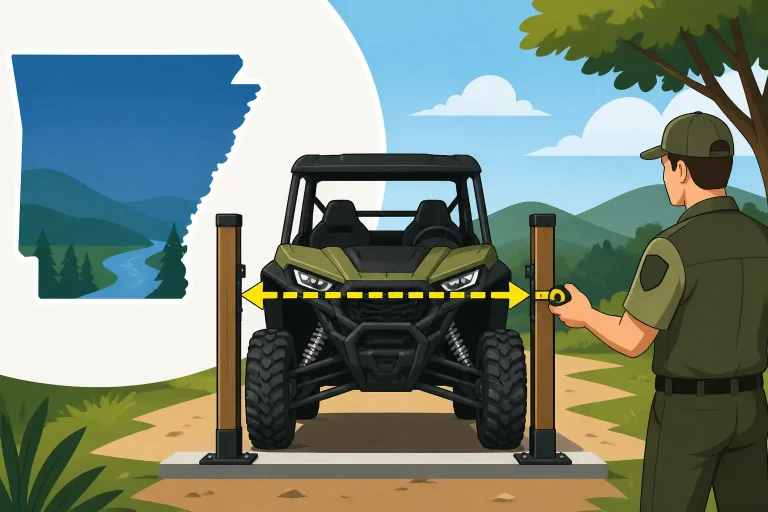
The last point is important for side-by-sides and other wider vehicles. A valid permit does not mean every trail or gate can accommodate your machine. Check the riding area’s current rules and trail status as well as the permit requirements.
| Before you buy | What to confirm |
|---|---|
| Riding area | Which forest and trail system manages it |
| Permit coverage | Whether the product covers that specific area |
| Permit period | Whether it is valid for your planned dates |
| Machine count | Whether each machine needs its own permit |
| Purchase method | Online, at a local seller, or at a self-service station |
| Proof requirements | Whether proof must be printed, displayed, or carried |
| Trail access | Current closures, width limits, and other restrictions |
If you’re riding at a private park rather than on national forest land, don’t assume a forest permit is what you need. Private parks set their own entry, waiver, and riding rules. Likewise, a permit for one forest trail system doesn’t automatically cover a private riding area.
Choose the right permit and purchase channel
Once you’ve identified the location, check what permit types are available for that area. Forest OHV systems may offer options such as a day permit and an annual permit, but the available products, validity periods, and purchase methods can differ. Review the current details for the specific trail system rather than relying on a friend’s pass, an old receipt, or information from a different forest.
A day permit may suit a one-day visit or an occasional ride. An annual permit may be worth considering if you expect to return to the same permit area. Compare the dates the permit covers with your actual plans. “Annual” does not necessarily tell you, on its own, when a permit starts or expires. Read the product description and any displayed validity dates before paying. For help comparing permit periods, see Arkansas Annual Versus Day Permits.
The purchase channel also depends on the location. Some Arkansas forest OHV permits are offered through Recreation.gov, while some riding areas have a self-service fee station or another local purchase method. Don’t assume that every permit is sold in the same place. The details in Arkansas Permits Bought on Recreation.gov and Arkansas Self-Service Fee Stations can help you understand the different ways a permit may be issued.
A practical purchase sequence is:
- Open the official permit information for your riding area. Use the relevant forest or agency information to confirm the required permit and the currently accepted way to buy it.
- Check the exact location name. Similar product names or nearby trail systems can be easy to confuse. Confirm that the permit covers the forest and area on your itinerary.
- Select the appropriate permit period. Compare day and annual options against your expected riding dates. Read when validity begins and ends.
- Check how many machines the permit covers. Many forest permits are tied to a vehicle rather than a whole group. Verify the product terms and purchase the required permit for each machine.
- Read the proof and display instructions before checkout. Find out whether you need a printed pass, a pass displayed on the machine, a confirmation on your phone, or another form of proof.
- Complete the purchase and save the record. Keep the confirmation, receipt, and any permit document together, and make a backup you can access during the trip.
- Check trail conditions again before departure. A permit does not guarantee a trail is open. Review closures and conditions close to your riding date.
If the appropriate area uses Recreation.gov, make sure you select the correct permit product before submitting payment. A purchase confirmation is useful, but it may not be the only item you need to carry or display. Follow the permit’s instructions for the specific forest and retain a copy of the purchase record. If the transaction page doesn’t clearly explain what to do with the permit after purchase, contact the managing office before traveling.
Where the local system uses a self-service fee station, check its accepted payment methods and operating details before you set out. A fee station can be convenient, but it may not offer the same options as an online purchase. Don’t wait until you reach a remote trailhead to discover you can’t complete the transaction the way you expected.
Annual or day permit
Choose based on the area you will visit, not just the length of your Arkansas trip. A longer vacation doesn’t make an annual permit a better fit if you’ll ride only once, and an annual permit for one forest may not help if most of your riding is in another. The relevant comparison is how often you expect to use the same permit area and what each product covers.
Check whether validity is based on a calendar period, a purchase date, or other terms stated by the issuing agency. Never infer the expiration date from the word “annual.” If you’re planning several weekends, verify that the permit will remain valid through all of them.
One permit for each machine
Confirm the unit of purchase. A permit may be issued per machine, not per rider, passenger, family, or group. That difference affects the total cost and what proof should be available at the trailhead. The related explanation in Arkansas Permits Are Per Vehicle is useful when arranging a trip with multiple quads or side-by-sides.
If you’re bringing a rental machine, ask who is responsible for the forest permit and whether the rental arrangement includes one. A rental company may handle some paperwork, but that should not be assumed. Get a clear answer before you pay for a separate permit or arrive at the trail.
Carry proof and follow the permit’s limits
Buying the permit is only one part of being ready to ride. Read the instructions that come with it and follow them exactly. Requirements can differ by permit system, so don’t rely on a general assumption that a digital receipt is enough or that a printed pass must always be attached in the same place.
If the permit needs to be displayed on the machine, attach it as directed and check that it stays visible after loading, unloading, or riding through mud and brush. If you’re required to carry proof instead, keep it somewhere accessible and protected from water. A phone screenshot can be a helpful backup for an online transaction, but it should not replace a required physical permit or pass.
Before leaving, confirm that you have:
- The permit or proof required for every machine
- A copy of the purchase confirmation or receipt
- The correct permit for each forest on the itinerary
- Any required display materials
- A phone or paper record that remains accessible if cell service is unavailable
These checks are especially useful when a group is traveling in several vehicles. Put each machine’s permit information with that machine’s paperwork rather than keeping every document in one person’s glove box. If someone separates from the group, they should still have the proof they may need.
A permit also doesn’t override trail restrictions. Pay attention to posted closures, gate signs, width limits, and any instructions from forest staff. Routes may close or change because of conditions, maintenance, or other land-management needs. Check the trail system’s current status before leaving and again if you’re already in the area. For Wolf Pen Gap, How to Check Wolf Pen Gap Trail Status is a useful related resource.
Keep the permit’s original terms available during the ride. If you’re uncertain whether your pass covers a specific trail, machine, or date, ask the issuing agency or local forest office before using it. It’s safer to resolve a question at home than to discover at a trailhead that you bought a permit for a different area.
Common buying mistakes to avoid
The most common problem is purchasing a permit for the wrong forest. Arkansas riders may plan a multi-stop trip and assume that a pass described as an “Arkansas OHV permit” covers all public riding areas in the state. Instead, confirm the exact area named in the permit terms. Separate forests can have separate systems, and a pass for one does not necessarily authorize riding in another.
Other avoidable mistakes include:
- Waiting until the last moment. Online account issues, an unavailable payment method, or unclear instructions can delay a purchase. Buy ahead when the system allows it, and verify the local method when it doesn’t.
- Assuming a booking receipt is the permit. Keep the confirmation, but read whether you must also print, display, or carry a separate permit.
- Buying one permit for a group without checking coverage. Confirm whether the permit applies to one machine or more than one.
- Assuming an annual permit starts on the date you expect. Read the stated validity period and expiration details.
- Confusing state registration with forest access. A registration decal and a forest permit serve different purposes. Check both sets of rules for your ride.
- Using an old pass or outdated instructions. Permit procedures and trail conditions can change. Confirm current details with the official source before you travel.
- Assuming every public trail has the same purchase method. One area may use an online system while another uses a local or self-service option.
- Forgetting the pass for the second forest. If your route includes multiple forests, list each one and check its permit requirement separately.
If a purchase page, sign, or permit description leaves something unclear, contact the relevant forest office or permit administrator. Ask specifically whether the permit covers your chosen riding area, the dates you need, and the number and type of machines in your group. Save the answer with your trip documents. A quick confirmation can prevent a wasted drive or an avoidable issue at the trailhead.
Disclaimer
This article is for general informational purposes only and does not constitute professional advice. Laws, prices and regulations vary by location and change over time. Consult a qualified professional for guidance on your specific situation.